
Skip to content

Blog

OpenAPI and Swagger Documentation

Okay, here’s how you would add Swagger (OpenAPI) annotations to your Go Gin handler using the popular swaggo/swag library.

First, you’ll need to ensure swaggo/swag and its CLI tool swag are installed.

Terminal window
go get -u github.com/swaggo/swag/cmd/swag
go get -u github.com/swaggo/gin-swagger
go get -u github.com/alecthomas/template # dependency for swag

Next, let’s define the ErrorResponse and assume a structure for what server.store.GetAccount might return (e.g., db.Account).

package main // Or your relevant package
import (
"net/http"
// "your_project_path/db" // Make sure to import your db package
"github.com/gin-gonic/gin"
// For swagger docs generation (if you integrate it into your main.go)
// _ "your_project_path/docs" // If swag init generates docs here
// ginSwagger "github.com/swaggo/gin-swagger"
// swaggerFiles "github.com/swaggo/files"
)
// --- Mocking necessary types that would typically be in other packages ---
// This 'db' package mock is just for this example to be self-contained.
// In your actual project, these would be in your 'db' package.
// START MOCK DB PACKAGE
package db {
// GetAccountParams is the input for GetAccount endpoint.
// Adding 'binding' for Gin validation and 'example' for Swagger.
type GetAccountParams struct {
Account int32 `json:"account" binding:"required" example:"12345"`
Child int32 `json:"child" binding:"required" example:"67890"`
}
// Account represents the structure of an account returned by the store.
// This is an assumed structure for glCreateAccount.
// Replace with your actual db.Account or DTO structure.
type Account struct {
ID int32 `json:"id" example:"1"`
AccountNumber int32 `json:"account_number" example:"12345"`
ChildNumber int32 `json:"child_number" example:"67890"`
AccountHolder string `json:"account_holder" example:"John Doe"`
Balance float64 `json:"balance" example:"1500.75"`
Currency string `json:"currency" example:"USD"`
}
}
// Server struct (assuming you have one)
type Server struct {
store Store // Your database store/interface
// router *gin.Engine // if you store router here
}
// Store interface (mocking the GetAccount method signature)
type Store interface {
GetAccount(ctx *gin.Context, arg db.GetAccountParams) (db.Account, error)
}
// ErrorResponse is the standard structure for API error responses.
// It's good practice to define this once and reuse it.
type ErrorResponse struct {
Error string `json:"error" example:"Error message describing the issue"`
}
// errorResponse is a helper function to create a standardized error response.
func errorResponse(err error) ErrorResponse {
return ErrorResponse{Error: err.Error()}
}
// @Summary Get Account Details
// @Description Retrieves account details based on account and child identifiers provided in the request body.
// @Description Note: Using POST for "get" semantics here because parameters are in the JSON body.
// @Tags Accounts
// @Accept json
// @Produce json
// @Param request body db.GetAccountParams true "Account and Child Identifiers"
// @Success 200 {object} db.Account "Successfully retrieved account details"
// @Failure 400 {object} ErrorResponse "Bad Request: Invalid input parameters"
// @Failure 500 {object} ErrorResponse "Internal Server Error: Failed to retrieve account"
// @Router /account [post]
func (server *Server) GetAccount(ctx *gin.Context) {
var req db.GetAccountParams // This 'db' prefix is crucial
if err := ctx.ShouldBindJSON(&req); err != nil {
ctx.JSON(http.StatusBadRequest, errorResponse(err))
return
}
// glCreateAccount, err := server.store.GetAccount(ctx, req)
// For the sake of this example, let's mock the call to server.store.GetAccount
// In a real scenario, this would be your actual database call.
var glCreateAccount db.Account
var err error
if req.Account == 12345 && req.Child == 67890 { // Mock success
glCreateAccount = db.Account{
ID: 1,
AccountNumber: req.Account,
ChildNumber: req.Child,
AccountHolder: "Mock User",
Balance: 1000.00,
Currency: "USD",
}
} else { // Mock error (e.g. account not found, which might be a 404 or 500 depending on design)
// For simplicity, treating it as an internal error that GetAccount might return.
// A specific "not found" error might yield a http.StatusNotFound.
err = http.ErrAbortHandler // Using a generic error for example
}
// --- End Mocked call ---
if err != nil {
// Consider more specific error handling, e.g., if err is sql.ErrNoRows, return 404
ctx.JSON(http.StatusInternalServerError, errorResponse(err))
return
}
ctx.JSON(http.StatusOK, glCreateAccount)
}
// Example main function to show how to set up Gin and Swagger
func main() {
router := gin.Default()
// Mock store and server
mockStore := &mockStoreImplementation{}
server := &Server{store: mockStore}
// Your API route
router.POST("/account", server.GetAccount)
// Swagger endpoint
// Make sure your main.go or the file passed to `swag init -g <file>.go`
// has a General API annotation block like:
// @title Your API Title
// @version 1.0
// @description This is a sample server for your API.
// @termsOfService http://swagger.io/terms/
// @contact.name API Support
// @contact.url http://www.swagger.io/support
// @contact.email support@swagger.io
// @license.name Apache 2.0
// @license.url http://www.apache.org/licenses/LICENSE-2.0.html
// @host localhost:8080
// @BasePath /api/v1 (if you have a base path)
//
// Then run: swag init -g your_main_file.go --parseDependency --parseInternal
// The --parseDependency and --parseInternal flags help swag find types in other packages.
//
// Import your docs package (usually generated in a 'docs' folder)
// _ "your_project_path/docs"
//
// router.GET("/swagger/*any", ginSwagger.WrapHandler(swaggerFiles.Handler))
// log.Fatal(router.Run(":8080"))
// This main is just for context. The core request is the Swagger comments.
println("Swagger annotations added above GetAccount function.")
println("Ensure db.GetAccountParams and db.Account are correctly defined and accessible.")
println("Run 'swag init' to generate documentation.")
}
// Mock Store Implementation for the main function example
// type mockStoreImplementation struct{}
func (m *mockStoreImplementation) GetAccount(ctx *gin.Context, arg db.GetAccountParams) (db.Account, error) {
if arg.Account == 12345 && arg.Child == 67890 {
return db.Account{
ID: 1,
AccountNumber: arg.Account,
ChildNumber: arg.Child,
AccountHolder: "Mock User from Store",
Balance: 2500.50,
Currency: "EUR",
}, nil
}
return db.Account{}, errors.New("mock store: account not found or error")
}

Explanation of Swagger Annotations:

* `// @Summary Get Account Details`: A short summary of what the endpoint does.
* `// @Description Retrieves account details...`: A more detailed description.
* `// @Tags Accounts`: Groups this endpoint under the "Accounts" tag in the Swagger UI.
* `// @Accept json`: Specifies that this endpoint accepts JSON request bodies.
* `// @Produce json`: Specifies that this endpoint produces JSON responses.
* `// @Param request body db.GetAccountParams true "Account and Child Identifiers"`:
* `request`: The name of the parameter (can be anything, "request" or "body" is common for body params).
* `body`: Indicates the parameter is in the request body.
* `db.GetAccountParams`: The Go type of the request body. `swag` will parse this struct to generate the schema. **Crucially**, if `GetAccountParams` is in the `db` package, you *must* use `db.GetAccountParams`.
* `true`: Indicates the parameter is required.
* `"Account and Child Identifiers"`: A description for this parameter.
* `// @Success 200 {object} db.Account "Successfully retrieved account details"`:
* `200`: The HTTP status code for a successful response.
* `{object}`: Indicates the response body is an object.
* `db.Account`: The Go type of the successful response body. `swag` will parse this. (I've assumed a `db.Account` struct; replace this with the actual type of `glCreateAccount`).
* `"Successfully retrieved account details"`: Description for this response.
* `// @Failure 400 {object} ErrorResponse "Bad Request: Invalid input parameters"`:
* `400`: HTTP status code for a client error (e.g., validation).
* `{object} ErrorResponse`: The Go type for this error response.
* `"Bad Request..."`: Description.
* `// @Failure 500 {object} ErrorResponse "Internal Server Error: Failed to retrieve account"`:
* `500`: HTTP status code for a server error.
* `{object} ErrorResponse`: The Go type for this error response.
* `"Internal Server Error..."`: Description.
* `// @Router /account [post]`:
* `/account`: The API path.
* `[post]`: The HTTP method. I've used `POST` because `ctx.ShouldBindJSON(&req)` is typically used for request bodies, which are common with POST, PUT, PATCH. If this were a GET request, parameters would usually be in the query string or path.

To Generate Swagger Docs:

  1. Make sure your db.GetAccountParams and the return type (e.g., db.Account) are defined in a way that swag can parse them. If they are in a different package (like db), swag needs to be able to find and parse that package.
  2. Add General API Information: In your main.go (or the entry point file you pass to swag init), add general API info:
    main.go
    package main
    // @title Your API Title
    // @version 1.0
    // @description This is a sample server for your API.
    // @termsOfService http://swagger.io/terms/
    // @contact.name API Support
    // @contact.url http://www.yourdomain.com/support
    // @contact.email support@yourdomain.com
    // @license.name Apache 2.0
    // @license.url http://www.apache.org/licenses/LICENSE-2.0.html
    // @host localhost:8080
    // @BasePath /api/v1 // Optional: if your routes are prefixed
    import (
    // ... your other imports
    // _ "your_project_path/docs" // This will be created by swag init
    // ginSwagger "github.com/swaggo/gin-swagger"
    // swaggerFiles "github.com/swaggo/files"
    )
    func main() {
    // ... your gin router setup ...
    // router.GET("/swagger/*any", ginSwagger.WrapHandler(swaggerFiles.Handler))
    // router.Run()
    }
  3. Run swag init: Navigate to your project’s root directory in the terminal and run:
    Terminal window
    swag init -g main.go --parseDependency --parseInternal
    • -g main.go: Specifies the entry point of your application (or the file containing the general API annotations).
    • --parseDependency: Tells swag to parse external dependencies (like your db package if it’s a separate module).
    • --parseInternal: Tells swag to parse internal packages (subdirectories within your module). This will generate a docs folder containing docs.go, swagger.json, and swagger.yaml.
  4. Serve Swagger UI: In your main.go (or wherever you set up your Gin router), add the handler for Swagger UI:
    import (
    // ...
    _ "your_project_path/docs" // Import the generated docs
    ginSwagger "github.com/swaggo/gin-swagger"
    swaggerFiles "github.com/swaggo/files"
    )
    func main() {
    router := gin.Default()
    // ... your server setup from the example ...
    mockStore := &mockStoreImplementation{} // You'd need to define this or use your real store
    server := &Server{store: mockStore}
    // Your API route
    router.POST("/account", server.GetAccount) // Assuming no /api/v1 base path from @BasePath for this route
    // Swagger UI endpoint (e.g., http://localhost:8080/swagger/index.html)
    // If you used @BasePath /api/v1, then Swagger UI might be at /api/v1/swagger/index.html
    // or you might serve it from the root /swagger/index.html regardless.
    // The URL depends on how you register ginSwagger.
    router.GET("/swagger/*any", ginSwagger.WrapHandler(swaggerFiles.Handler))
    router.Run(":8080")
    }

Now, when you run your application and go to /swagger/index.html (or the appropriate path), you should see the API documentation. Remember to replace placeholder types like db.Account with your actual data structures.

Manufacturing Schema

Okay, here’s a SQL schema for a manufacturing inventory application. This schema aims to cover raw materials, work-in-progress (WIP), finished goods, suppliers, purchase orders, work orders, and inventory movements.

I’ll use a generic SQL syntax that should be largely compatible with most RDBMS (like PostgreSQL, MySQL, SQL Server).

-- -----------------------------------------------------
-- Schema ManufacturingInventory
-- -----------------------------------------------------
-- CREATE SCHEMA IF NOT EXISTS ManufacturingInventory;
-- USE ManufacturingInventory;
-- -----------------------------------------------------
-- Table: ItemCategories
-- Description: To categorize items (e.g., Electronics, Mechanical, Raw Material, Finished Good)
-- -----------------------------------------------------
CREATE TABLE ItemCategories (
CategoryID INT PRIMARY KEY AUTO_INCREMENT,
CategoryName VARCHAR(100) NOT NULL UNIQUE,
Description TEXT
);
-- -----------------------------------------------------
-- Table: UnitsOfMeasure
-- Description: Defines units like kg, pcs, liters, meters
-- -----------------------------------------------------
CREATE TABLE UnitsOfMeasure (
UnitID INT PRIMARY KEY AUTO_INCREMENT,
UnitCode VARCHAR(10) NOT NULL UNIQUE, -- e.g., 'KG', 'PCS', 'MTR'
UnitName VARCHAR(50) NOT NULL,
Description TEXT
);
-- -----------------------------------------------------
-- Table: Items
-- Description: Master list of all items - raw materials, WIP components, finished goods
-- -----------------------------------------------------
CREATE TABLE Items (
ItemID INT PRIMARY KEY AUTO_INCREMENT,
ItemSKU VARCHAR(50) NOT NULL UNIQUE, -- Stock Keeping Unit
ItemName VARCHAR(255) NOT NULL,
ItemDescription TEXT,
ItemType ENUM('RawMaterial', 'WIP', 'FinishedGood') NOT NULL,
CategoryID INT,
UnitID INT, -- Base unit of measure for this item
StandardCost DECIMAL(12, 2) DEFAULT 0.00, -- Cost to produce or acquire
SalesPrice DECIMAL(12, 2) DEFAULT 0.00, -- Only for FinishedGoods
ReorderLevel INT DEFAULT 0,
LeadTimeDays INT DEFAULT 0, -- Days to procure or produce
IsActive BOOLEAN DEFAULT TRUE,
CreatedAt TIMESTAMP DEFAULT CURRENT_TIMESTAMP,
UpdatedAt TIMESTAMP DEFAULT CURRENT_TIMESTAMP ON UPDATE CURRENT_TIMESTAMP,
FOREIGN KEY (CategoryID) REFERENCES ItemCategories(CategoryID),
FOREIGN KEY (UnitID) REFERENCES UnitsOfMeasure(UnitID)
);
CREATE INDEX idx_items_itemname ON Items(ItemName);
-- -----------------------------------------------------
-- Table: Locations
-- Description: Warehouses, production lines, specific bins, etc.
-- -----------------------------------------------------
CREATE TABLE Locations (
LocationID INT PRIMARY KEY AUTO_INCREMENT,
LocationCode VARCHAR(50) NOT NULL UNIQUE,
LocationName VARCHAR(100) NOT NULL,
LocationType ENUM('Warehouse', 'ProductionLine', 'StagingArea', 'Quarantine', 'Shipping') NOT NULL,
AddressLine1 VARCHAR(255),
City VARCHAR(100),
Country VARCHAR(100),
IsActive BOOLEAN DEFAULT TRUE
);
-- -----------------------------------------------------
-- Table: Inventory
-- Description: Current stock levels of items at specific locations, potentially with lot/batch tracking
-- -----------------------------------------------------
CREATE TABLE Inventory (
InventoryID INT PRIMARY KEY AUTO_INCREMENT,
ItemID INT NOT NULL,
LocationID INT NOT NULL,
LotNumber VARCHAR(50), -- For traceability, can be NULL if not lot-tracked
SerialNumber VARCHAR(100), -- For unique serialized items, can be NULL
QuantityOnHand DECIMAL(12, 3) NOT NULL DEFAULT 0.000,
ExpiryDate DATE, -- For perishable items
LastStocktakeDate DATETIME,
CreatedAt TIMESTAMP DEFAULT CURRENT_TIMESTAMP,
UpdatedAt TIMESTAMP DEFAULT CURRENT_TIMESTAMP ON UPDATE CURRENT_TIMESTAMP,
FOREIGN KEY (ItemID) REFERENCES Items(ItemID),
FOREIGN KEY (LocationID) REFERENCES Locations(LocationID),
UNIQUE (ItemID, LocationID, LotNumber, SerialNumber) -- Ensures uniqueness of stock record
);
CREATE INDEX idx_inventory_item_location ON Inventory(ItemID, LocationID);
-- -----------------------------------------------------
-- Table: Suppliers
-- -----------------------------------------------------
CREATE TABLE Suppliers (
SupplierID INT PRIMARY KEY AUTO_INCREMENT,
SupplierName VARCHAR(255) NOT NULL,
ContactName VARCHAR(100),
Email VARCHAR(100),
Phone VARCHAR(20),
Address TEXT,
IsActive BOOLEAN DEFAULT TRUE
);
-- -----------------------------------------------------
-- Table: PurchaseOrders
-- Description: Orders placed with suppliers for raw materials or components
-- -----------------------------------------------------
CREATE TABLE PurchaseOrders (
PurchaseOrderID INT PRIMARY KEY AUTO_INCREMENT,
SupplierID INT NOT NULL,
OrderDate DATE NOT NULL,
ExpectedDeliveryDate DATE,
Status ENUM('Draft', 'PendingApproval', 'Approved', 'Ordered', 'PartiallyReceived', 'Received', 'Cancelled') NOT NULL,
TotalAmount DECIMAL(15, 2) DEFAULT 0.00, -- Can be calculated or stored
Notes TEXT,
CreatedByUserID INT, -- Link to a Users table (not defined here for simplicity)
CreatedAt TIMESTAMP DEFAULT CURRENT_TIMESTAMP,
UpdatedAt TIMESTAMP DEFAULT CURRENT_TIMESTAMP ON UPDATE CURRENT_TIMESTAMP,
FOREIGN KEY (SupplierID) REFERENCES Suppliers(SupplierID)
-- FOREIGN KEY (CreatedByUserID) REFERENCES Users(UserID) -- if you have a Users table
);
-- -----------------------------------------------------
-- Table: PurchaseOrderItems
-- Description: Line items within a purchase order
-- -----------------------------------------------------
CREATE TABLE PurchaseOrderItems (
PurchaseOrderItemID INT PRIMARY KEY AUTO_INCREMENT,
PurchaseOrderID INT NOT NULL,
ItemID INT NOT NULL, -- Typically RawMaterial or WIP component
QuantityOrdered DECIMAL(12, 3) NOT NULL,
UnitPrice DECIMAL(12, 2) NOT NULL,
QuantityReceived DECIMAL(12, 3) DEFAULT 0.000,
ReceivedDate DATE, -- Date of last receipt for this item
LineTotal DECIMAL(15, 2) AS (QuantityOrdered * UnitPrice) STORED, -- Calculated column
FOREIGN KEY (PurchaseOrderID) REFERENCES PurchaseOrders(PurchaseOrderID) ON DELETE CASCADE,
FOREIGN KEY (ItemID) REFERENCES Items(ItemID)
);
-- -----------------------------------------------------
-- Table: BillOfMaterials (BOM)
-- Description: Defines the components and quantities required to make a finished good or sub-assembly
-- -----------------------------------------------------
CREATE TABLE BillOfMaterials (
BOM_ID INT PRIMARY KEY AUTO_INCREMENT,
ParentItemID INT NOT NULL, -- The item being assembled (FinishedGood or WIP)
ComponentItemID INT NOT NULL, -- A raw material or sub-assembly
QuantityRequired DECIMAL(10, 3) NOT NULL,
UnitID INT, -- Unit of measure for the component in this BOM context
BOMVersion VARCHAR(20) DEFAULT '1.0', -- For managing changes to BOM
EffectiveDate DATE,
IsActive BOOLEAN DEFAULT TRUE,
FOREIGN KEY (ParentItemID) REFERENCES Items(ItemID),
FOREIGN KEY (ComponentItemID) REFERENCES Items(ItemID),
FOREIGN KEY (UnitID) REFERENCES UnitsOfMeasure(UnitID),
UNIQUE (ParentItemID, ComponentItemID, BOMVersion) -- A component can only appear once per parent's BOM version
);
-- -----------------------------------------------------
-- Table: WorkOrders
-- Description: Authorizes the production of a specific quantity of an item
-- -----------------------------------------------------
CREATE TABLE WorkOrders (
WorkOrderID INT PRIMARY KEY AUTO_INCREMENT,
ItemID INT NOT NULL, -- The FinishedGood or WIP item to be produced
QuantityToProduce DECIMAL(12, 3) NOT NULL,
QuantityProduced DECIMAL(12, 3) DEFAULT 0.000,
StartDatePlanned DATE,
EndDatePlanned DATE,
StartDateActual DATETIME,
EndDateActual DATETIME,
Status ENUM('Planned', 'InProgress', 'Paused', 'Completed', 'Cancelled') NOT NULL,
BOMVersionUsed VARCHAR(20), -- Reference to the BOM version used for this production run
AssignedToLocationID INT, -- Production line or area
Notes TEXT,
CreatedByUserID INT, -- Link to a Users table
CreatedAt TIMESTAMP DEFAULT CURRENT_TIMESTAMP,
UpdatedAt TIMESTAMP DEFAULT CURRENT_TIMESTAMP ON UPDATE CURRENT_TIMESTAMP,
FOREIGN KEY (ItemID) REFERENCES Items(ItemID),
FOREIGN KEY (AssignedToLocationID) REFERENCES Locations(LocationID)
-- FOREIGN KEY (CreatedByUserID) REFERENCES Users(UserID) -- if you have a Users table
);
-- -----------------------------------------------------
-- Table: WorkOrderComponentUsage
-- Description: Tracks components consumed for a specific work order
-- -----------------------------------------------------
CREATE TABLE WorkOrderComponentUsage (
UsageID INT PRIMARY KEY AUTO_INCREMENT,
WorkOrderID INT NOT NULL,
ComponentItemID INT NOT NULL,
SourceLocationID INT, -- Where the component was taken from
QuantityUsed DECIMAL(12, 3) NOT NULL,
LotNumberUsed VARCHAR(50), -- If tracking component lots
UsageDate DATETIME DEFAULT CURRENT_TIMESTAMP,
FOREIGN KEY (WorkOrderID) REFERENCES WorkOrders(WorkOrderID) ON DELETE CASCADE,
FOREIGN KEY (ComponentItemID) REFERENCES Items(ItemID),
FOREIGN KEY (SourceLocationID) REFERENCES Locations(LocationID)
);
-- -----------------------------------------------------
-- Table: InventoryTransactions
-- Description: Audit log of all inventory movements
-- -----------------------------------------------------
CREATE TABLE InventoryTransactions (
TransactionID INT PRIMARY KEY AUTO_INCREMENT,
ItemID INT NOT NULL,
LocationID INT NOT NULL,
LotNumber VARCHAR(50), -- If applicable
SerialNumber VARCHAR(100), -- If applicable
TransactionType ENUM(
'PurchaseReceipt', -- Receiving goods from supplier
'IssueToProduction', -- Issuing raw materials to a work order
'ProductionOutput', -- Receiving finished goods from a work order
'SalesShipment', -- Shipping finished goods to customer
'StockAdjustment', -- Manual adjustment (e.g., after stocktake)
'TransferOut', -- Moving stock to another location
'TransferIn', -- Receiving stock from another location
'Scrap' -- Writing off damaged/unusable stock
) NOT NULL,
QuantityChange DECIMAL(12, 3) NOT NULL, -- Positive for increase, negative for decrease
TransactionDate DATETIME DEFAULT CURRENT_TIMESTAMP,
ReferenceID_PO INT, -- PurchaseOrderID
ReferenceID_WO INT, -- WorkOrderID
ReferenceID_SO INT, -- SalesOrderID (if you have a sales module)
ReferenceID_Transfer INT, -- A transfer order ID
Notes TEXT,
UserID INT, -- User performing the transaction (link to Users table)
FOREIGN KEY (ItemID) REFERENCES Items(ItemID),
FOREIGN KEY (LocationID) REFERENCES Locations(LocationID),
FOREIGN KEY (ReferenceID_PO) REFERENCES PurchaseOrders(PurchaseOrderID),
FOREIGN KEY (ReferenceID_WO) REFERENCES WorkOrders(WorkOrderID)
-- FOREIGN KEY (UserID) REFERENCES Users(UserID) -- if you have a Users table
);
CREATE INDEX idx_invtrans_item_loc ON InventoryTransactions(ItemID, LocationID);
CREATE INDEX idx_invtrans_transtype ON InventoryTransactions(TransactionType);
-- -----------------------------------------------------
-- (Optional) Table: QualityControlChecks
-- -----------------------------------------------------
CREATE TABLE QualityControlChecks (
CheckID INT PRIMARY KEY AUTO_INCREMENT,
ItemID INT NOT NULL,
WorkOrderID INT, -- If related to production
PurchaseOrderItemID INT, -- If related to incoming goods
CheckDate DATETIME DEFAULT CURRENT_TIMESTAMP,
InspectorUserID INT,
Status ENUM('Pending', 'Pass', 'Fail', 'Rework') NOT NULL,
Notes TEXT,
QuantityChecked DECIMAL(12,3),
QuantityPassed DECIMAL(12,3),
QuantityFailed DECIMAL(12,3),
FOREIGN KEY (ItemID) REFERENCES Items(ItemID),
FOREIGN KEY (WorkOrderID) REFERENCES WorkOrders(WorkOrderID),
FOREIGN KEY (PurchaseOrderItemID) REFERENCES PurchaseOrderItems(PurchaseOrderItemID)
-- FOREIGN KEY (InspectorUserID) REFERENCES Users(UserID)
);
-- -----------------------------------------------------
-- (Optional) Table: Users
-- Description: Users of the application
-- -----------------------------------------------------
-- CREATE TABLE Users (
-- UserID INT PRIMARY KEY AUTO_INCREMENT,
-- Username VARCHAR(50) NOT NULL UNIQUE,
-- PasswordHash VARCHAR(255) NOT NULL,
-- FullName VARCHAR(100),
-- Email VARCHAR(100) UNIQUE,
-- Role VARCHAR(50), -- e.g., 'Admin', 'WarehouseManager', 'ProductionOperator'
-- IsActive BOOLEAN DEFAULT TRUE,
-- CreatedAt TIMESTAMP DEFAULT CURRENT_TIMESTAMP
-- );

Key Considerations & Explanations:

  1. Items: Central table for all physical things. ItemType distinguishes between Raw Materials, WIP, and Finished Goods.
  2. Locations: Physical or logical places where inventory can reside.
  3. Inventory: The core table showing how much of what item is where, potentially with LotNumber and SerialNumber for traceability. This table represents the current state.
  4. Suppliers, PurchaseOrders, PurchaseOrderItems: Manage procurement of raw materials/components.
  5. BillOfMaterials (BOM): Crucial for manufacturing. Defines the “recipe” for a product. Note the BOMVersion for managing changes.
  6. WorkOrders: The instruction to produce a certain quantity of an item.
  7. WorkOrderComponentUsage: Tracks which specific components (and potentially their lots) were used for a work order. This helps in consuming raw material inventory.
  8. InventoryTransactions: This is the audit trail. Every movement of stock (in, out, adjustment) should create a record here. This table is vital for historical reporting, troubleshooting discrepancies, and calculating historical stock levels. QuantityChange is positive for additions and negative for subtractions.
  9. ItemCategories, UnitsOfMeasure: Lookup tables for better data organization and consistency.
  10. QualityControlChecks (Optional): If QC is a significant part of your process.
  11. Users (Optional, commented out): If you need to track who performed actions.
  12. Primary Keys (AUTO_INCREMENT or IDENTITY): Used for most tables.
  13. Foreign Keys: Enforce referential integrity. ON DELETE CASCADE is used selectively (e.g., deleting a Purchase Order might cascade to delete its items). Be cautious with ON DELETE CASCADE.
  14. Indexes: Added to frequently queried columns (especially foreign keys and columns used in WHERE clauses) to improve performance.
  15. ENUMs: Used for status fields or types where there’s a fixed set of values. MySQL supports ENUM directly. For other databases (like PostgreSQL or SQL Server), you might use a VARCHAR column with a CHECK constraint or a separate lookup table.
  16. Timestamps: CreatedAt and UpdatedAt for auditing row changes.
  17. Calculated Column (LineTotal in PurchaseOrderItems): Some RDBMS support this (GENERATED ALWAYS AS or COMPUTED BY). If not, you’d calculate it in your application or views.

This schema provides a solid foundation. You might need to add more specific fields or tables depending on the exact requirements of your manufacturing company (e.g., machine scheduling, detailed labor tracking, more complex routing, serialized item tracking).

Why It's Time to Ditch Cheques and Cash

A practical guide for condo boards and not-for-profits

If your board is still collecting condo fees or processing reimbursements by cheque or cash, you’re not alone — but you are taking unnecessary risks.

Paper cheques and cash may feel familiar, but they’re not safe or efficient. Digital payments, especially when managed through secure platforms like Plaid, are far more secure, transparent, and easier to manage. This article will help you understand why switching is better for your organization and your members — and how to bring everyone on board, even those who are hesitant about technology.


The Risk No One Talks About: Cheques and Cash Are Easy to Steal or Lose

Section titled “The Risk No One Talks About: Cheques and Cash Are Easy to Steal or Lose”

Let’s start with the facts:

  • In 2023, 65% of organizations experienced cheque fraud — the highest of any payment method.
  • Banks in North America are flagging hundreds of thousands of cheque fraud cases per year.
  • Cash? It’s untraceable. If it’s stolen or misplaced, it’s gone — and there’s no audit trail.

These methods are magnets for both internal mishandling and external theft. And with today’s rise in mail fraud, a cheque dropped in a mailbox isn’t nearly as safe as it once was.


Why EFTs and Platforms Like Plaid Are Safer

Section titled “Why EFTs and Platforms Like Plaid Are Safer”

Electronic Funds Transfers (EFTs) have been around for decades and are widely used by governments, employers, and financial institutions. But when paired with a secure platform like Plaid, they become even safer.

Plaid connects your bank to approved financial software — without ever exposing your login credentials. It uses:

  • Bank-level encryption
  • Tokenized connections (your data is never shared with third parties)
  • Read-only access (no one can touch your money without authorization)
  • Multi-factor authentication (MFA)

This is like upgrading from a lockbox to a bank vault with security cameras and ID checks.


Dual Approval: Even Safer Than a Two-Signature Cheque

Section titled “Dual Approval: Even Safer Than a Two-Signature Cheque”

Your old process may have required two board members to sign each cheque. That’s a good practice — but it’s manual, slow, and still vulnerable.

With a digital system like Noble Ledger, dual approvals can be enforced digitally:

  • One person initiates the payment.
  • A second person reviews and approves it.
  • MFA ensures both people are who they say they are.

No one person can act alone, and every step is logged. It’s more secure, more auditable, and far less hassle than tracking down paper signatures.


Reassuring Your Members: “But I Don’t Trust Online Payments…”

Section titled “Reassuring Your Members: “But I Don’t Trust Online Payments…””

This is a common concern. Many members, especially seniors, may not trust new technology — or may simply not understand how it works. Here’s how to help:

  • Start with the “why”: Emphasize the safety and traceability. “If there’s ever a question about where your money went, we’ll have a record — down to the minute.”
  • Use analogies: Explain that cheques are like sending money in an envelope through the mail, while EFTs are like wiring money securely through a bank.
  • Offer support: Let members know they can ask for help setting it up. Some may prefer to use their bank’s pre-authorized payment form rather than a digital app — that’s fine too.
  • Give options, but set a direction: You don’t have to cut off cheques overnight. But let members know the organization is moving toward digital payments for everyone’s safety and efficiency.

For boards and administrators:

  • Less time chasing signatures or cash receipts.
  • Fewer errors and manual entries.
  • Easier reporting and year-end audit prep.

For members:

  • More payment options.
  • Instant receipts.
  • Greater confidence that their fees and reimbursements are handled securely.

Bottom line: Digital payments aren’t just faster — they’re safer. They protect your organization’s money and your members’ trust. The tools are here. It’s time to use them.


Disclaimer: The information provided in this article is for general informational purposes only and is not intended as legal, financial, accounting, or tax advice. Please consult with a qualified professional before making any decisions based on this content.
Accounting policies

Setting up appropriate accounting policies for a condo corporation

Introduction

For Canadian non-profits (NPOs) and condominium boards, financial oversight is crucial. Yet, many organizations still rely on outdated, manual payment approval methods—primarily cheques that require dual signatures. While this traditional approach was once a gold standard for financial control, it has become increasingly inefficient, costly, and vulnerable to fraud.

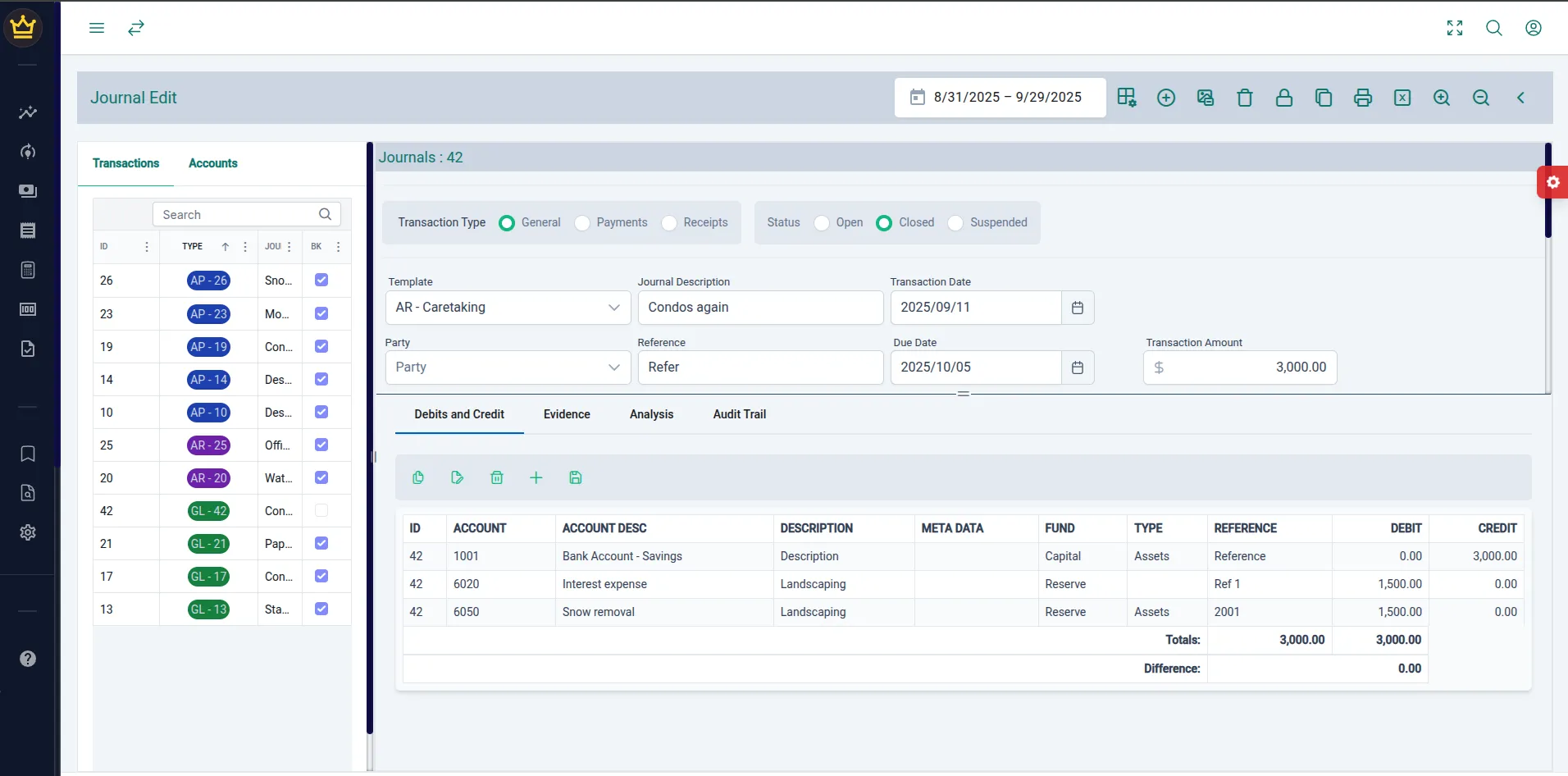
Journal Update


Noble Ledger Inc., utilizing Plaid’s API, is revolutionizing payment approvals by providing a secure, digital, and real-time alternative that maintains the necessary oversight while vastly improving efficiency. This article explores the core problems with traditional cheque-based payment approvals and why a digital transformation is overdue.

The Challenges of Traditional Payment Approvals

Section titled “The Challenges of Traditional Payment Approvals”
  • Delays in obtaining signatures: Coordinating two signatories for every cheque can take days or even weeks if board members are unavailable.
  • Physical presence required: Signers often need to be in the same location, requiring in-person meetings, couriers, or mailing cheques.
  • Time wasted on administrative work: Preparing, printing, signing, and mailing cheques adds unnecessary workload for staff and board members.
  • Cheque fees: Banks charge for issuing, processing, and reconciling cheques.
  • Courier/mailing expenses: When signatories are not available, courier services or express mail add extra costs.
  • Lost time: Delays in cheque approvals lead to late payments, resulting in potential penalties or strained vendor relationships.
  • Forgery & alterations: Cheques can be altered, forged, or stolen, leading to unauthorized transactions.
  • Lack of real-time oversight: Boards typically approve payments after they’ve already been issued, increasing the risk of undetected fraud.
  • Duplicate payments: Human error can lead to duplicated transactions, causing unnecessary financial losses.
  • Vulnerability to embezzlement: If internal controls fail, rogue employees or board members can exploit gaps in cheque approvals.

With the increasing availability of secure financial technology, organizations no longer need to rely on slow, outdated cheque-based approval methods. Canadian NPOs and condo boards must embrace modern digital solutions to:

  • Speed up approvals by enabling remote dual approvals through secure online platforms.
  • Reduce costs by eliminating cheque-related expenses and manual processing.
  • Enhance security through encryption, audit trails, and automated fraud detection.
  • Ensure transparency with real-time tracking and digital documentation of every payment.

How Noble Ledger Inc. & Plaid Provide a Better Solution

Section titled “How Noble Ledger Inc. & Plaid Provide a Better Solution”

Noble Ledger Inc. has integrated Plaid’s API to offer a seamless, digital-first payment approval system tailored for NPOs and condo boards. Here’s how it works:

  • Dual Digital Approvals: Just like traditional dual signatures on cheques, Noble Ledger ensures that two authorized board members must approve every payment before it’s processed.
  • Real-Time Bank Integration: Plaid securely connects to the organization’s bank account, providing instant updates on balances and transactions.
  • Automated Budget Controls: If a payment exceeds a certain threshold or pushes a budget category over its limit, the system automatically flags it for further review or board approval.
  • Vendor Authentication: Organizations can pre-approve vendors to prevent fraudulent payments.
  • Enhanced Security: With end-to-end encryption, multi-factor authentication (MFA), and audit logs, every transaction is tracked, reducing fraud risks significantly.

The days of relying on slow, frustrating, and error-prone cheque-based approvals should be over. Digital payment approvals not only streamline processes but also improve financial oversight and security. Noble Ledger Inc., powered by Plaid’s API, offers a faster, safer, and more transparent solution for NPOs and condominium boards. By modernizing payment approvals, organizations can focus less on administrative bottlenecks and more on their mission.

Problem with Traditional Payment Approvals

The Problem with Traditional Payment Approvals: Why NPOs & Condo Boards Need a Change

For Canadian non-profits (NPOs) and condominium boards, financial oversight is crucial. Yet, many organizations still rely on outdated, manual payment approval methods—primarily cheques that require dual signatures. While this traditional approach was once a gold standard for financial control, it has become increasingly inefficient, costly, and vulnerable to fraud.

Noble Ledger Inc., utilizing Plaid’s API, is revolutionizing payment approvals by providing a secure, digital, and real-time alternative that maintains the necessary oversight while vastly improving efficiency. This article explores the core problems with traditional cheque-based payment approvals and why a digital transformation is overdue.

The Challenges of Traditional Payment Approvals

Section titled “The Challenges of Traditional Payment Approvals”
  • Delays in obtaining signatures: Coordinating two signatories for every cheque can take days or even weeks if board members are unavailable.
  • Physical presence required: Signers often need to be in the same location, requiring in-person meetings, couriers, or mailing cheques.
  • Time wasted on administrative work: Preparing, printing, signing, and mailing cheques adds unnecessary workload for staff and board members.
  • Cheque fees: Banks charge for issuing, processing, and reconciling cheques.
  • Courier/mailing expenses: When signatories are not available, courier services or express mail add extra costs.
  • Lost time: Delays in cheque approvals lead to late payments, resulting in potential penalties or strained vendor relationships.
  • Forgery & alterations: Cheques can be altered, forged, or stolen, leading to unauthorized transactions.
  • Lack of real-time oversight: Boards typically approve payments after they’ve already been issued, increasing the risk of undetected fraud.
  • Duplicate payments: Human error can lead to duplicated transactions, causing unnecessary financial losses.
  • Vulnerability to embezzlement: If internal controls fail, rogue employees or board members can exploit gaps in cheque approvals.

With the increasing availability of secure financial technology, organizations no longer need to rely on slow, outdated cheque-based approval methods. Canadian NPOs and condo boards must embrace modern digital solutions to:

  • Speed up approvals by enabling remote dual approvals through secure online platforms.
  • Reduce costs by eliminating cheque-related expenses and manual processing.
  • Enhance security through encryption, audit trails, and automated fraud detection.
  • Ensure transparency with real-time tracking and digital documentation of every payment.

How Noble Ledger Inc. & Plaid Provide a Better Solution

Section titled “How Noble Ledger Inc. & Plaid Provide a Better Solution”

Noble Ledger Inc. has integrated Plaid’s API to offer a seamless, digital-first payment approval system tailored for NPOs and condo boards. Here’s how it works:

  • Dual Digital Approvals: Just like traditional dual signatures on cheques, Noble Ledger ensures that two authorized board members must approve every payment before it’s processed.
  • Real-Time Bank Integration: Plaid securely connects to the organization’s bank account, providing instant updates on balances and transactions.
  • Automated Budget Controls: If a payment exceeds a certain threshold or pushes a budget category over its limit, the system automatically flags it for further review or board approval.
  • Vendor Authentication: Organizations can pre-approve vendors to prevent fraudulent payments.
  • Enhanced Security: With end-to-end encryption, multi-factor authentication (MFA), and audit logs, every transaction is tracked, reducing fraud risks significantly.

The days of relying on slow, frustrating, and error-prone cheque-based approvals should be over. Digital payment approvals not only streamline processes but also improve financial oversight and security. Noble Ledger Inc., powered by Plaid’s API, offers a faster, safer, and more transparent solution for NPOs and condominium boards. By modernizing payment approvals, organizations can focus less on administrative bottlenecks and more on their mission.