
Maintain a fund budget
Open Reports → Budget Analysis → Maintenance. Confirm the company, current fiscal year, and approved assumptions, then select the intended Fund.
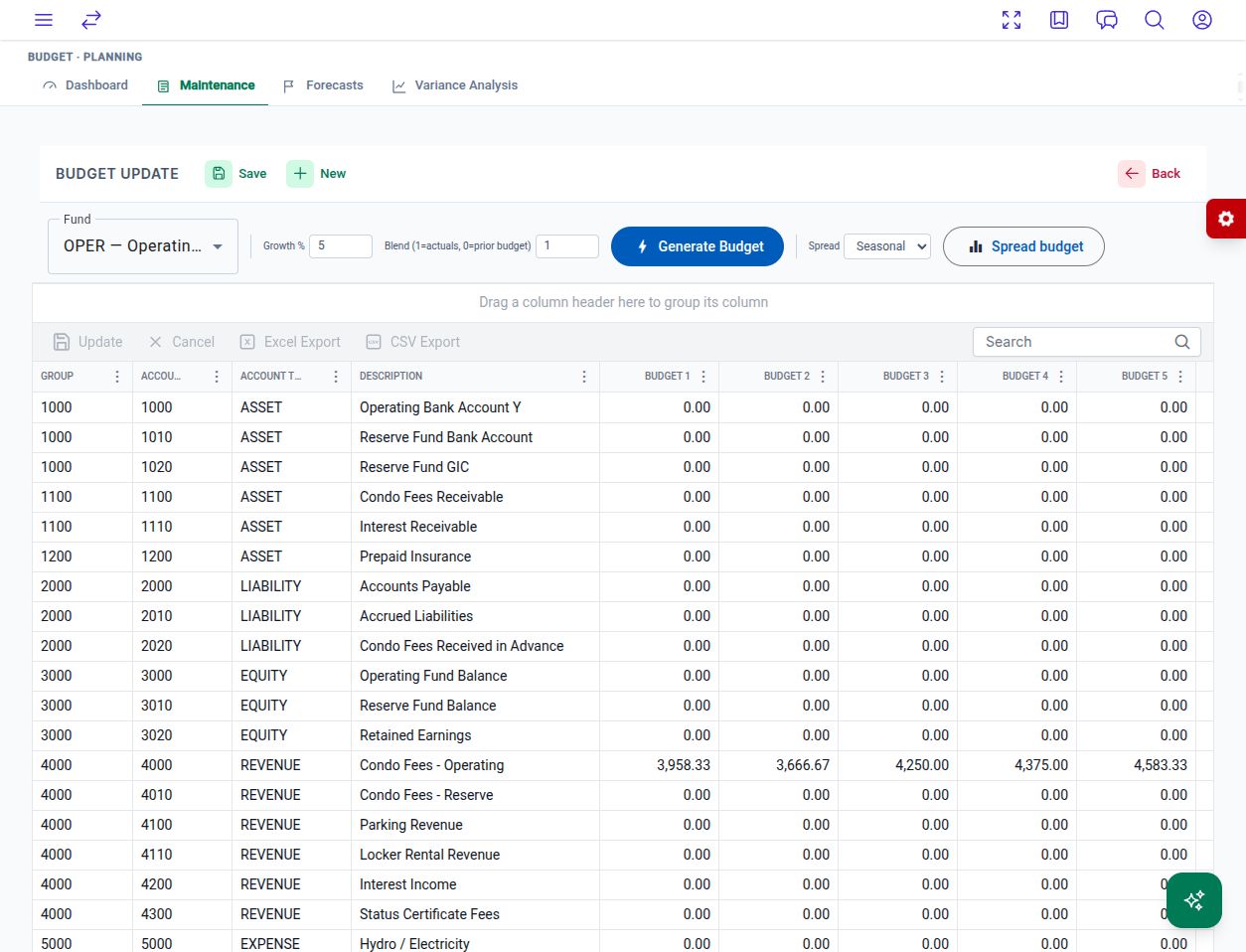
The local application’s Maintenance screen. Example amounts illustrate the layout.
Edit monthly amounts
Section titled “Edit monthly amounts”- Find the account using the grid’s search field.
- Edit the required Budget 1 through Budget 12 cells. Scroll horizontally for later columns.
- Check the account, fund, and monthly distribution.
- Choose the grid’s Update action to commit the edits, or Cancel to discard pending grid edits.
- Allow the refresh to complete, then reopen the fund and confirm the amounts persisted. Check any returned error before retrying.
Generate a budget
Section titled “Generate a budget”Growth % adjusts prior-year actuals. Blend (1=actuals, 0=prior budget) sets the weighting: 1 uses adjusted prior-year actuals, 0 uses the existing budget, and values between them blend the two. The control’s “prior budget” input is the budget currently loaded for the account.
For example, 5% growth and a blend of 1 turn a prior-year monthly actual of 100 into 105. Missing historical amounts need review before generation.
Redistribute an annual total
Section titled “Redistribute an annual total”Spread budget preserves each account’s existing annual total and redistributes it over twelve months. Even uses equal shares with a rounding adjustment. Seasonal uses predefined monthly weights, not your own historical seasonality. A zero annual total stays zero.
Spreading also saves immediately. Check all twelve amounts after the operation completes.
Next: review budget variances.
v1.1.5 (8e20c95)